Contents
Share
The best way to draw a floor plan… is to never draw a floor plan again.
Scan the property on your iPhone Pro in the PropertyBox app and get a branded, measured floor plan back.
No tape measure, no sketching, no waiting.
What is it?
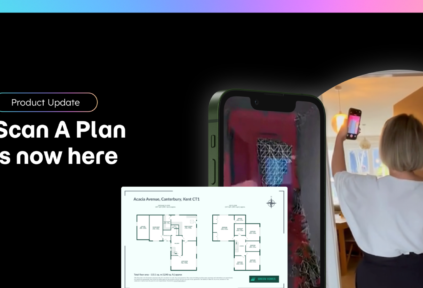
Available now, Scan A Plan turns your iPhone Pro into a floor plan scanner. Walk the property on the visit you are already making, upload the scan, and our floor plan team sends back a professional, branded 2D floor plan, usually within hours. No specialist kit. No drawing skills. No dead ends.
Why use it?
Floor plans are the most hated job in estate agency. But now – thanks to Scan A Plan – it’s easier than ever!
No more measuring every room, sketching it, sending it off only to wait on a supplier and then fix the corrections.
- You scan while you are already there for the valuation or the photos, so the floor plan is done before you leave. There is nothing to measure, nothing to redraw at the desk and no supplier diary to wait on. Scanned this morning, on the listing this afternoon.
- Every room is measured on site, true to size, then checked by our floor plan team before it comes back to you. That means fewer corrections and fewer return visits.
- Every floor plan carries your branding and style preferences automatically, so every listing looks like yours, from every branch and every member of the team.
- Lettings teams win too. A measured floor plan on every let, from £5, with no tenants to disturb for a return visit to measure up.
- Floor plans matter.
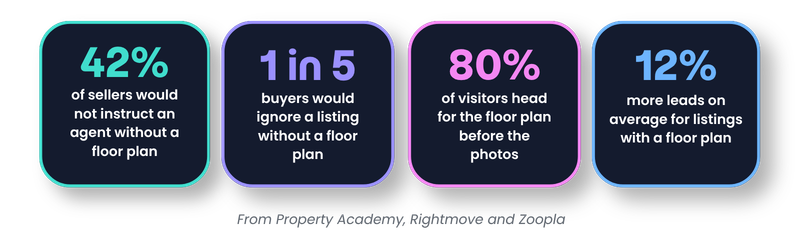
Buyers and sellers expect one every time: 1 in 5 buyers would ignore a listing without a floor plan (Rightmove), and 42% of sellers would not instruct an agent without one (Property Academy).
Floor plans mean
- More instructions
- More listing views
- More interest
- More enquires
How it works
Scan A Plan is built into the PropertyBox app, so there is nothing new to set up:
- Open the property in the PropertyBox app on your iPhone Pro, go to the Floorplan tab and tap Scan Property.
- Take a moment to prep: close doors, open curtains and clear clutter where you can.
- Walk through at an easy pace. The app maps every room in 3D, true to size, and records a walkthrough video as you go. A typical 3-bed takes about six minutes.
- Save and upload. No signal? The scan finishes anyway and uploads once you are back online.
- Our floor plan team checks the scan against the video, removes the furniture, validates every room measurement and applies your branding.
- Follow progress on the Floorplan tab, from Submitted to In Progress to Completed, until your finished floor plan lands on the property.
Can’t scan this one? You are never stuck. Sketch and Floor Plan Library are still there whenever you need them.
Start scanning today
If you’re a PropertyBox customer, open your next property in the PropertyBox app on your iPhone Pro, go to the Floorplan tab and tap Scan Property. Watch our quick how to scan video first to get it right first time.
Not a PropertyBox customer yet? Book a branch demo and see a real scan turn into a finished floor plan, or start a free trial and explore the platform.
Not on an iPhone Pro? Join the early access list.
Every room, true to size. On brand and back fast. Scan it, don’t draw it.