Alto Integration
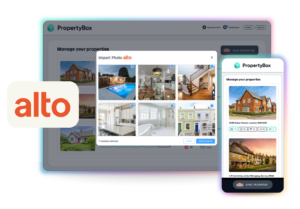
Sync between Alto
and PropertyBox – it’s seamless
Send property details straight from Alto to PropertyBox, and sync marketing assets right back. No more copy-pasting or uploading files – just quick, seamless access to create professional marketing assets in minutes. It’s the easiest way to manage property data and listing assets.
Speed up listing
creation
Create high quality listings AND fast, keeping clients happy and driving results
Create consistent marketing content
AI-powered, standout marketing on every listing without the extra hassle or cost
Reduce admin and duplicate work
No more manual copy-pasting, download-upload – simply sync between platforms
Increase conversions and win rates
Spend more time winning more instructions and selling, less time managing data
How it works
No manual uploads. No duplicated work. Just seamless automation.
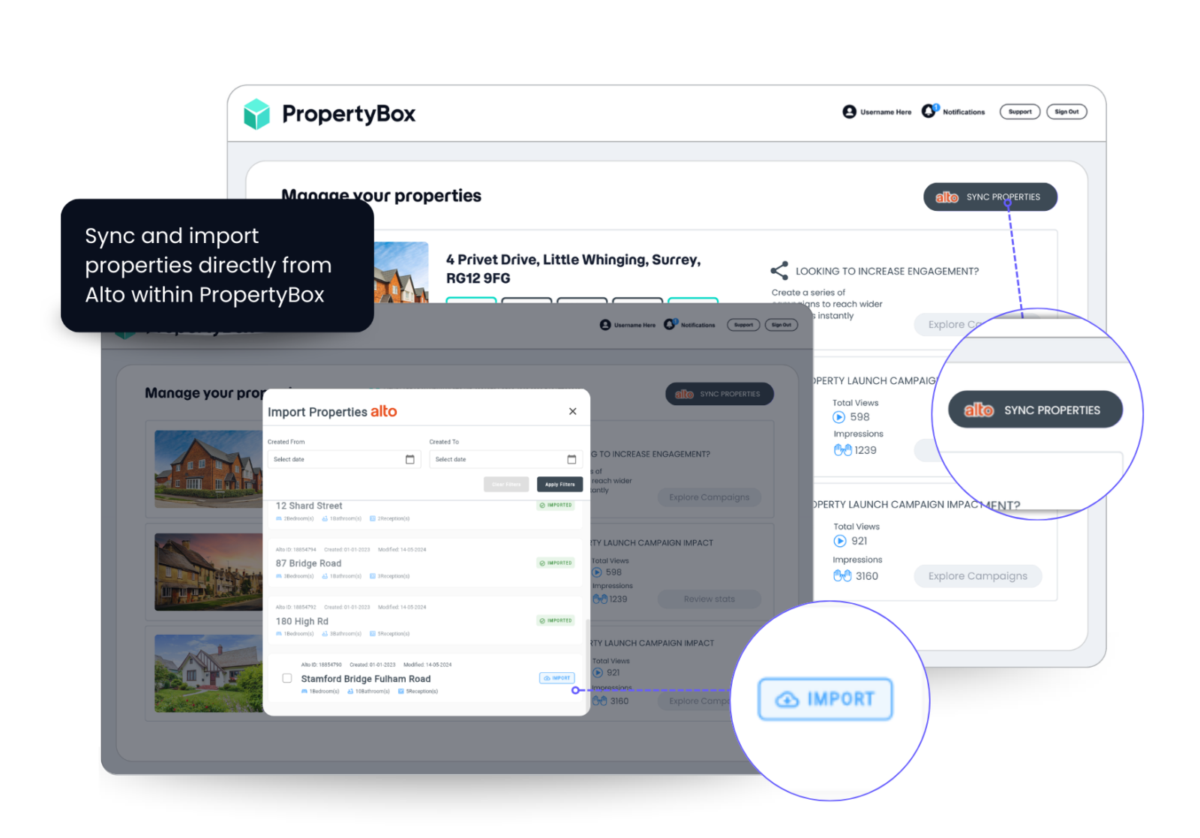
Data flows from
CRM → PropertyBox
Property details are pulled directly from your Alto account into PropertyBox
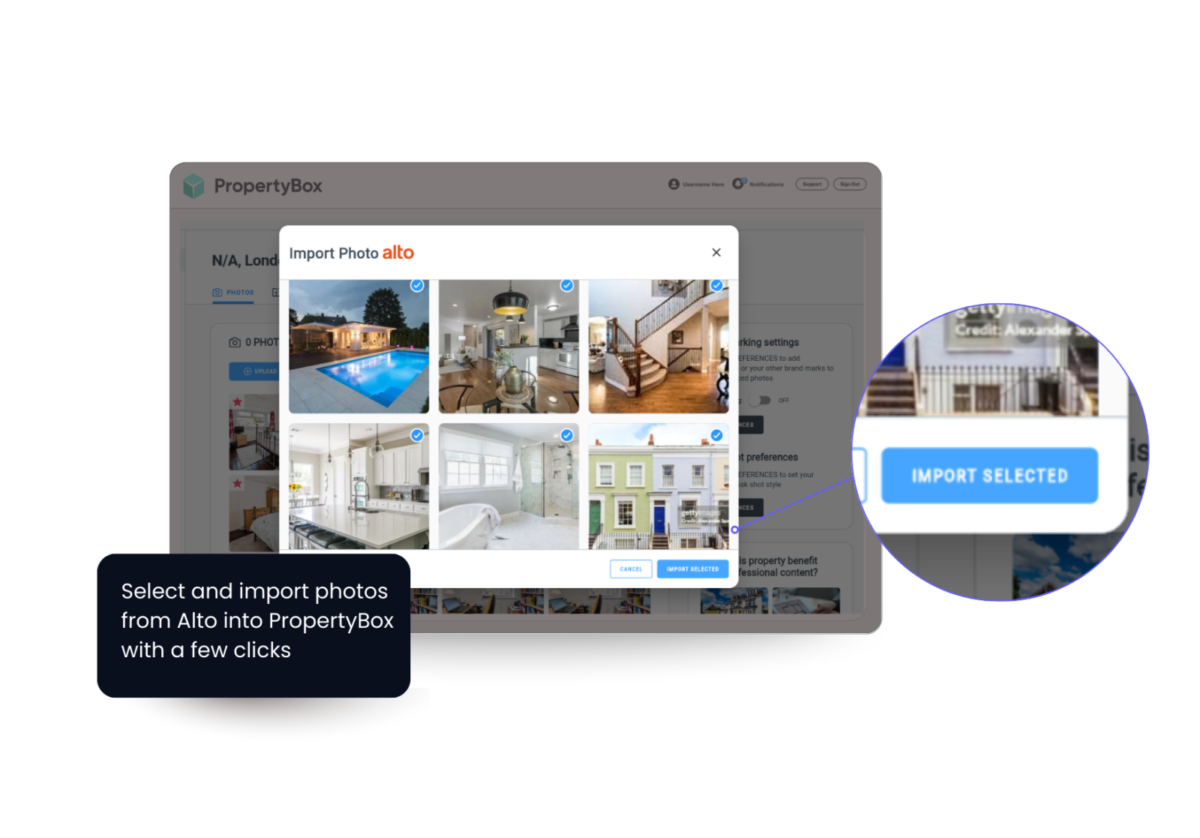
Marketing assets created
in PropertyBox
Create marketing assets including photos, floorplans, videos, and virtual tours
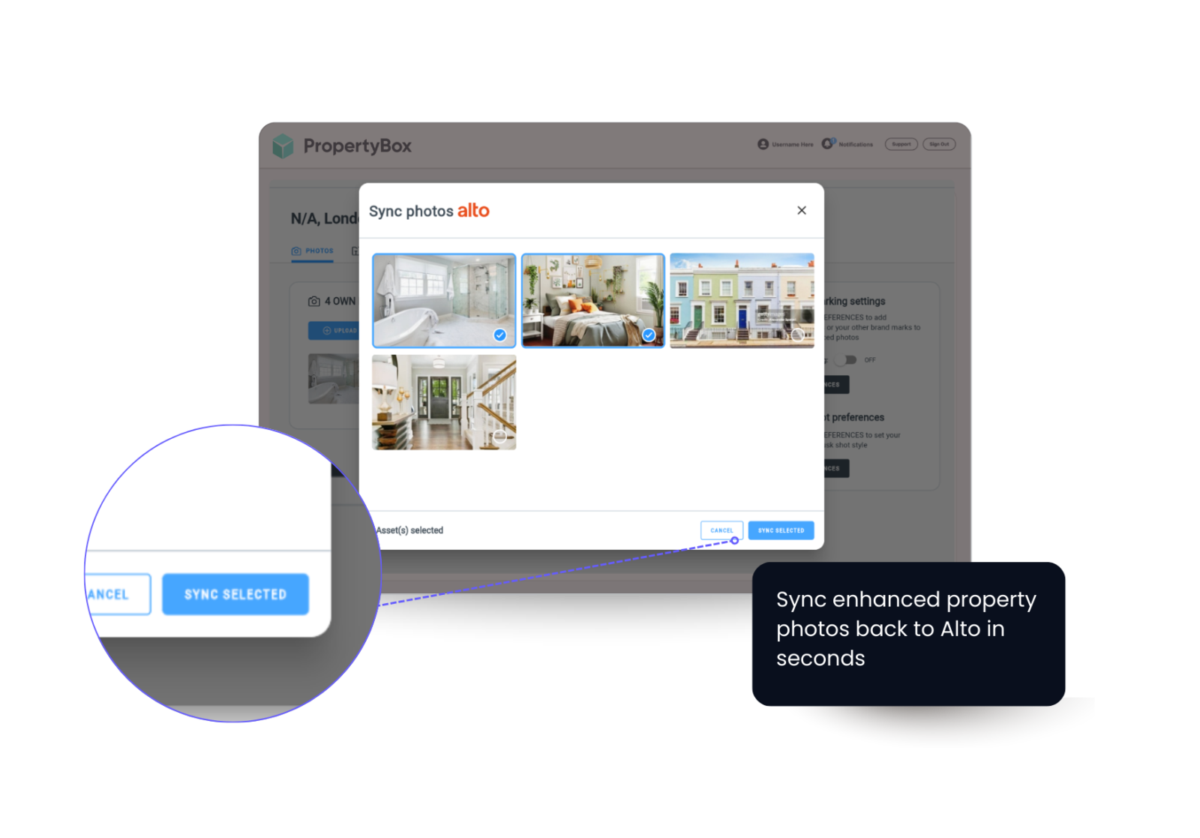
Assets sync directly
back to CRM
Sync content back to Alto with one click so everything stays updated across both platforms automatically
What’s included
Two-way data synchronisation
Property information flows seamlessly between PropertyBox and Alto, ensuring updates to property details or marketing assets are automatically reflected across both platforms without manual input.
Automatic property data import
Generate professional marketing materials quickly, including listing content, enhanced images, and promotional assets designed to help properties stand out and attract more interest.
Marketing asset creation
Generate professional marketing materials quickly, including listing content, enhanced images, and promotional assets designed to help properties stand out and attract more interest.
Media syncing
Once created, all marketing media automatically syncs back to your CRM, keeping property records updated and ensuring agents always have the latest assets ready to use.
AI-enhanced property marketing
Use AI-powered tools to optimise property imagery, improve listing quality, and create more engaging marketing content that helps drive enquiries and conversions.
Centralised listing management
Manage property information, marketing assets, and updates from one connected workflow, giving agents complete visibility and control without switching between systems.
Frequently asked questions
No! It’s free for anyone with an Alto and PropertyBox subscription.
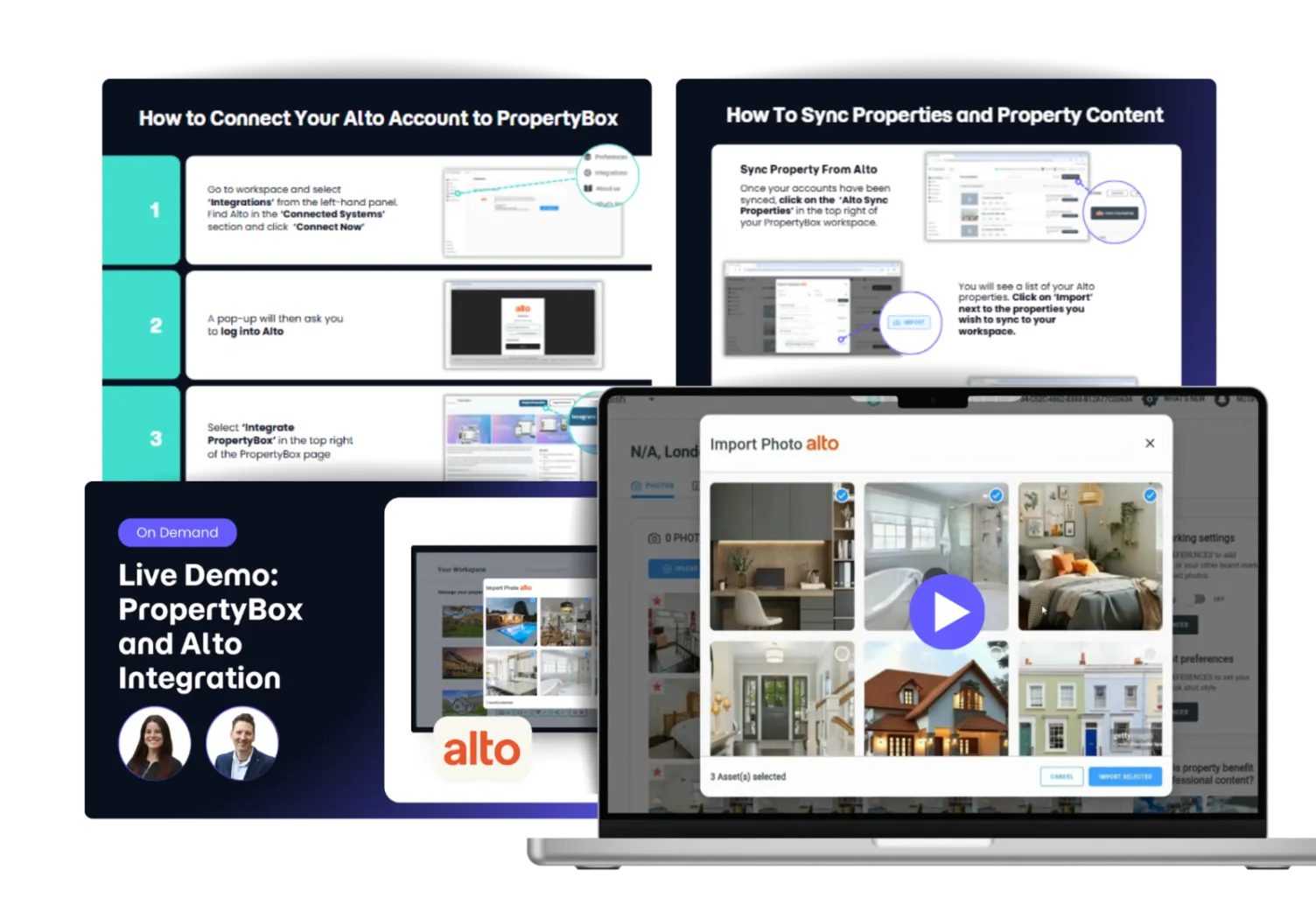
Login to PropertyBox, go to the integrations tab and select Connect Now. This will prompt you to login to your Alto account. Once logged in you need to select the Integrate button. As soon as this has been connected you will get a confirmation email.
Property details such as photos, floorplans, virtual tours and portal videos are shared between platforms, as well as property details such as address, creation date and Alto id.
No, you can only connect one Alto account to one PropertyBox account.
This integration only syncs what you select, giving you more control. You can select which properties to sync to PropertyBox, and then which assets to sync back into Alto.
Reach out to our support team and they will be able to help you resolve any issues with the integration.